 thumbish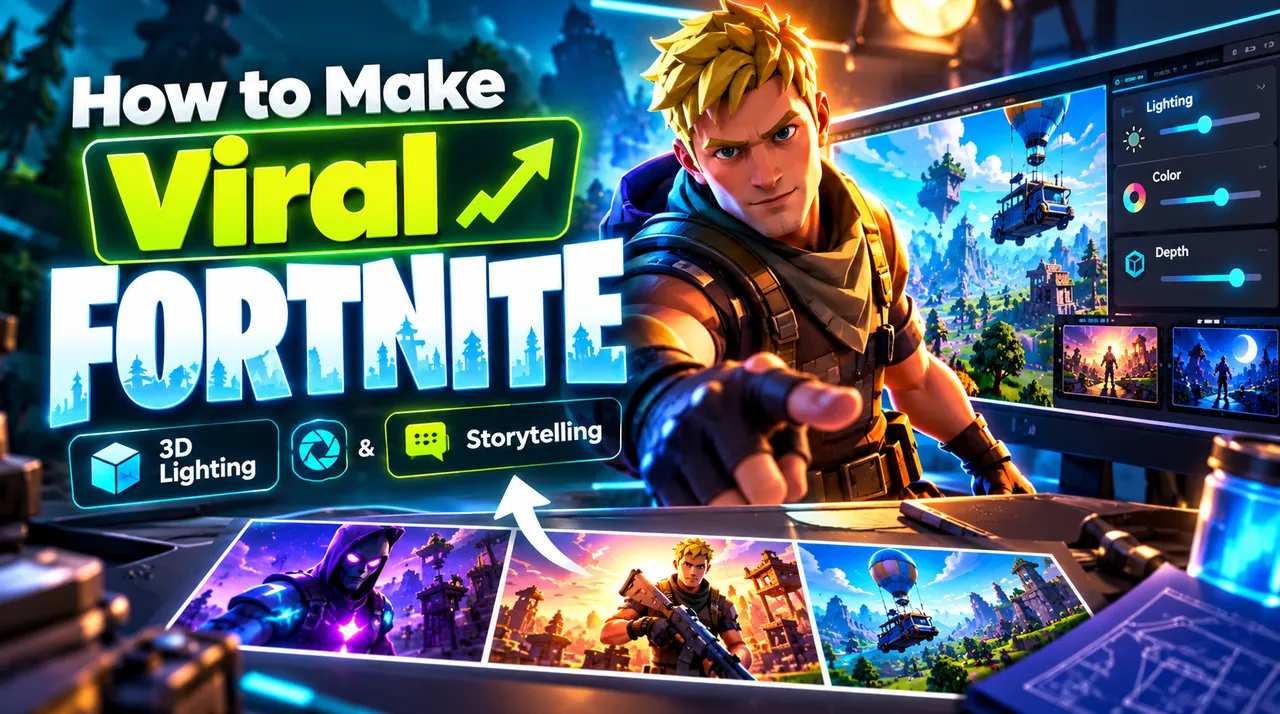

The Evolution of Fortnite Packaging: Why Raw Screenshots Fail
In the early seasons of Fortnite Battle Royale, uploading a 1080p in-game screenshot with an exaggerated arrow was enough to earn clicks. Today, YouTube gaming feeds are extraordinarily competitive.
Raw in-game gameplay captures contain massive visual noise: mini-maps, crosshairs, ammo counters, and muddy textures. When shrunk down to a 1.5-inch mobile card, this clutter becomes an unrecognizable visual blur.
Leading Fortnite channels treat thumbnails like miniature Pixar and Marvel movie posters. They feature isolated 3D character skin models, custom action posing, high-intensity colored rim lighting, and dramatic visual tension that instantly telegraphs the story.
The 3-Element Rule for Fortnite Video Packaging
To ensure your thumbnail communicates within the 400-millisecond glance window, limit your composition to three distinct elements:
1. The Character Hero: An expressive, recognizable skin (e.g. iconic Battle Pass skin, tournament skin, or anime collaboration) posed in mid-action or showing an intense emotional reaction.
2. The High-Stakes Object: An ultra-rare mythic weapon, an overpowered season item, or a 1-HP health indicator that highlights the central challenge or breakthrough of the video.
3. The Environmental Threat: An encroaching purple storm wall, an ominous build-fight tower, or an unvaulted POI landmark that establishes context without distracting from the character.
3-Point Rim Lighting and Mobile OLED Saturation
The secret to professional 3D gaming thumbnails is lighting separation. Without dedicated lighting, character skins blend into the dark foliage and building textures of the island.
Pro designers apply 3-point lighting: a clean Key Light to illuminate the character’s face, a soft Fill Light to preserve shadow detail, and a high-intensity colored Rim Light (often electric cyan, gold, or neon magenta) along the back edge of the character silhouette.
This rim light acts like an organic cut-out mask, popping the character forward from the background. On mobile OLED screens, this contrast creates a stereoscopic 3D appearance that commands viewer attention.
Safe Zone Traps: Protecting Victory Royale and Kill Counts
A frequent error among gaming creators is placing the final kill count (e.g., "32 KILLS") or a "VICTORY ROYALE" banner in the bottom-right corner of the thumbnail.
YouTube overlays a black duration timestamp badge (e.g., "18:42") in the bottom-right corner on both desktop and mobile apps. Anything placed in that bottom-right 20% zone is completely obscured.
Always position critical stats, weapon tier graphics, and text punchlines across the top-left or upper-third quadrant of your canvas to guarantee 100% visibility.
Generating 3D Gaming Concepts with Thumbish Studio
Traditionally, creating custom 3D Fortnite thumbnails required extracting game models into Blender, setting up IK rigs, adjusting subsurface scattering materials, and spending 3 to 5 hours rendering lighting passes.
Thumbish automates this workflow through conversational AI creative direction. Simply describe your video hook (e.g., "Using Only the New Mythic Shotgun in Champion Ranked"), approve the visual framing and character expression, and let the studio generate cinematic 3D lighting in seconds.
You can also upload your own face to seamlessly integrate your real emotional expression alongside the 3D character, building lasting brand recognition for your channel.