
YouTube Use Cases

AI Gaming & Roblox YouTube Thumbnail Maker

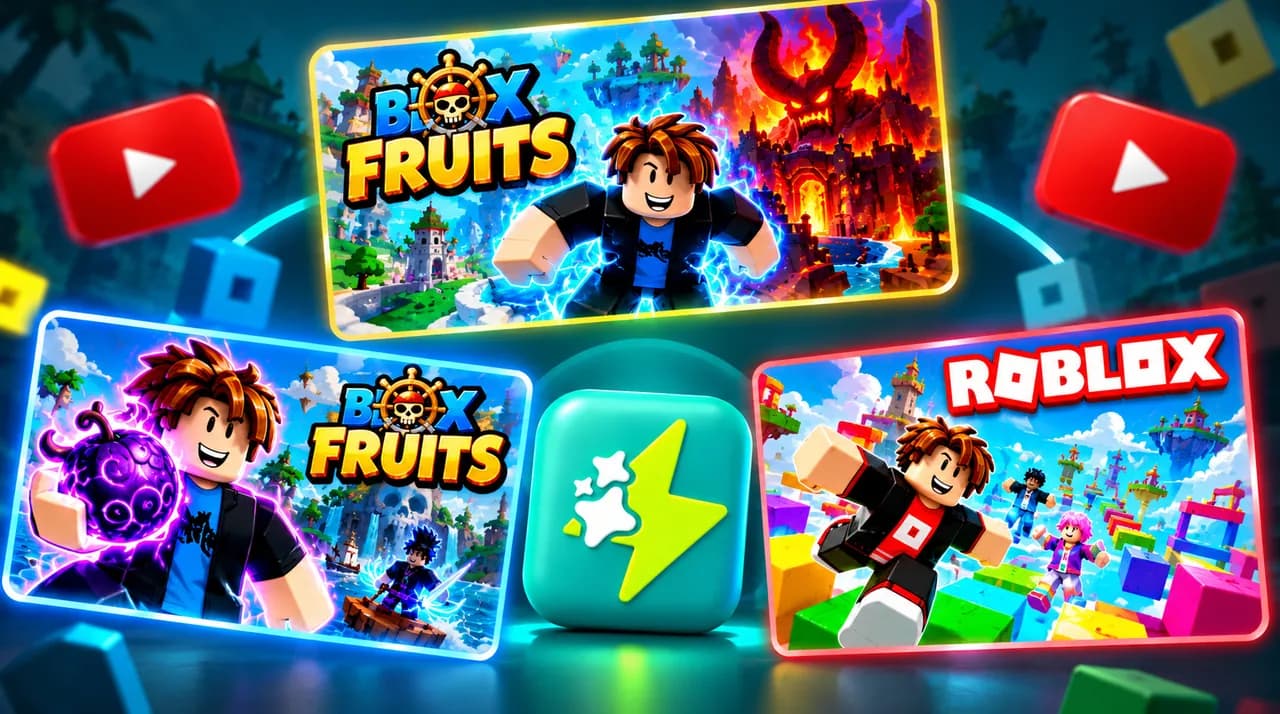
Create high-CTR Roblox and gaming YouTube thumbnails with AI. Render 3D avatars, action duels, neon lighting, and bold text in 16:9.

AI Gaming & Roblox YouTube Thumbnail Maker
Try Thumbish Free Compare plans & credits →
SHARE
SUMMARIZE WITH

To make viral gaming thumbnails, focus on dynamic character action, glowing item highlights, high saturation, and an unmistakable gameplay conflict. Thumbish AI generates 16:9 gaming thumbnails tailored to your video hook—whether you need a custom Roblox scene, dramatic Fortnite battle, or high-stakes esports showdown.

Roblox Thumbnail Generator — AI Gaming Maker: At a glance

Roblox Thumbnail Generator — AI Gaming Maker: feature comparison
Game GenreThumbnail FocusLighting & AtmosphereText Style
Roblox & Obby GamesCustom avatar reacting to extreme obstacle or giant bossBright neon colors with saturated ground texturesChunky 3D rounded lettering with bold black outline
Fortnite & Battle RoyaleLast-second sniper duel, storm survival, mythic loot discoveryCinematic sunset or storm glow with rim-lit character edgesPunchy diagonal display text: “IMPOSSIBLE”, “NEW 1V1”
Minecraft HardcoreHeart display at 1/2 heart, Nether fortress, Warden encounterDark dungeon contrast with piercing torchlight and lava reflectionsDistressed stone or blocky pixelated headline
Story / Simulator GamesExtreme wealth progression ($1 vs $1,000,000), rare pet unboxingSparkling particle effects, high-key studio rim lightContrasting color numbers: “STAGE 100”, “MYTHIC”

The Anatomy of a 10%+ CTR Gaming Thumbnail

Gaming is one of the most competitive categories on YouTube. Generic in-game screenshots almost never get clicked because they lack lighting drama, clear focal hierarchy, and readable emotions.

Successful gaming creators build thumbnails that capture a decisive narrative moment: the split-second before taking lethal damage, reaching the final floor of an impossible tower, or uncovering an ultra-rare secret.

Thumbish AI brings your gameplay concept to life with dramatic camera angles, saturated colors, volumetric fog, and vibrant rim lighting that stands out instantly on mobile feeds.

  • Capture the climax: The split-second before a jump, death, or massive reward.
  • High Saturation: Boost bright primary yellows, cyans, and magentas.
  • Zero HUD Noise: Remove mini-maps and inventory bars that clutter small phone screens.

Customizing Avatars and Game Styles

Different gaming communities expect distinct visual languages. In Roblox, younger audiences make browsing decisions in under 300 milliseconds. Posing your avatar with an exaggerated, wide-eyed facial expression creates an immediate empathetic connection with the viewer.

For Obby and Tycoon games, amplify the physical sense of scale: make lava pools cavernous, giant obstacles towering, and golden rewards gleam with particle effects. For simulator and trading videos, high-contrast numerical multipliers ($1 vs $1,000,000) establish instant curiosity.

Crucially, protect the bottom-right 20% safe zone. Never position your current level indicator, timer, or pet icon in the bottom-right corner where YouTube overlays its black video duration pill.

  • Roblox Obbies: Exaggerated physical scale and bright neon lava hazard contrast.
  • Simulators: High-contrast wealth multipliers and sparkling particle bursts.
  • Safe Zone: Position level counters and stage text along the top-left quadrant.

How to Make Gaming Thumbnails with Thumbish

Creating custom 3D gaming thumbnails in traditional software like Blender requires extracting 3D rigs, setting up lighting passes, and rendering for hours. Thumbish transforms this into a 2-minute conversation.

Simply describe the core video premise (e.g., "A Roblox player in a red hoodie barely jumping across molten lava toward a golden trophy"). Review the proposed focal framing and emotion with the AI agent, make any quick adjustments through conversation, and generate artwork in Flash or high-detail Aura.

Frequently asked questions

Can I create 3D blocky or stylized cartoon styles?

Yes. Thumbish can render voxel, stylized cartoon, 3D block, or cinematic action game visuals based on your brief.

Is Thumbish suitable for Roblox Bedwars, Blox Fruits, and Brookhaven?

Yes. Thumbish understands popular game tropes and can depict epic sword duels, mythical fruit abilities, and city roleplay scenes.

Can I include my face beside the gaming character?

Yes! If you upload a persona face reference in your channel settings, Thumbish can place your real face reacting alongside your in-game avatar.

CREATOR STUDIO

Turn what you just read into a viral thumbnail

Bring your video title, hook, or rough idea. Direct thumbnail concepts in natural conversation with Thumbish and approve the creative direction before rendering full-resolution artwork.

Start creating free Explore free creator tools →

Continue your workflow

Gaming YouTube Thumbnail Ideas: Decisive Action Rules

Explore →

How to Make Thumbnails Like MrBeast With AI

Explore →

YouTube Thumbnail Previewer

Explore →

Plans and credit costs

Explore →