 thumbish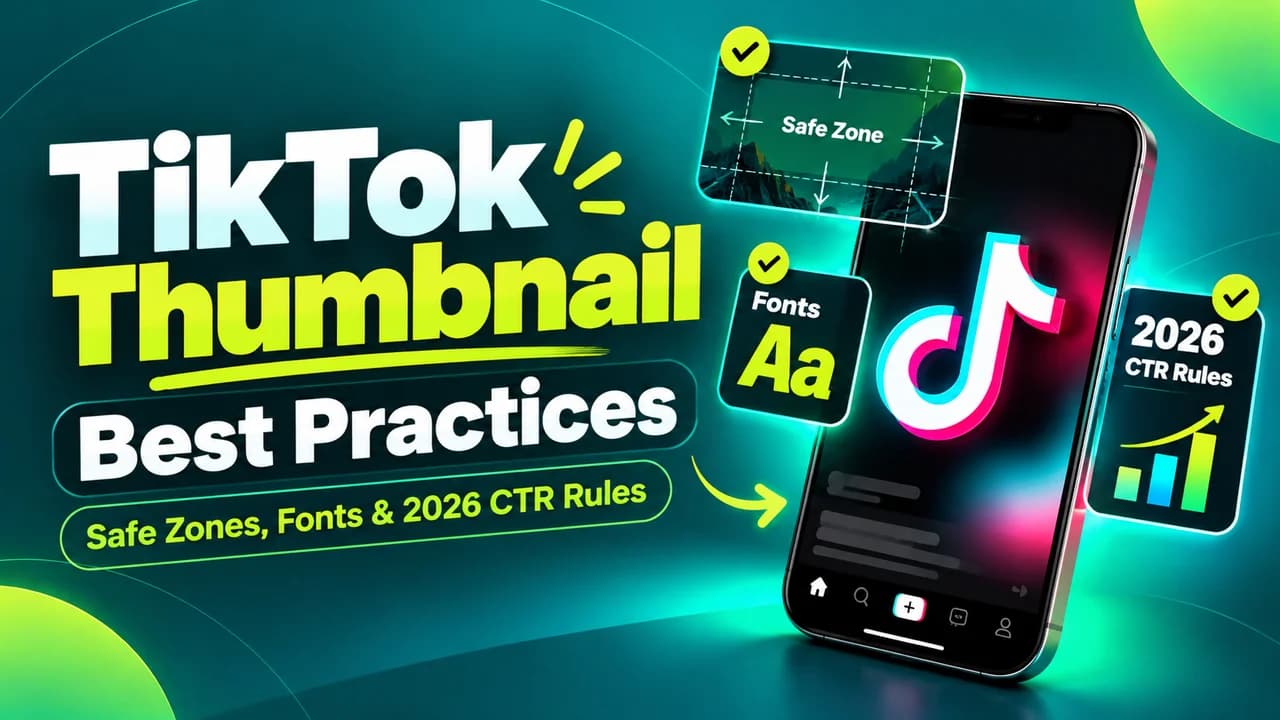

Why Video Covers Are Essential for TikTok Search & Profile Growth
Many casual TikTok users assume thumbnails don’t matter because videos auto-play in the For You Page (FYP) feed. This is a critical misconception. While auto-play drives initial passive viewing, custom thumbnails and cover frames dictate performance in two massive growth engines: TikTok Search (SEO) and Profile Page Conversion.
When users search for queries like "how to budget in college" or "best budget microphone", TikTok displays a 2-column search results grid identical to YouTube. Videos with high-contrast, curiosity-inducing covers capture up to 40% more search clicks than videos with random frozen mid-speech frames. Furthermore, when a video goes viral, visiting users scan your profile grid: a cohesive library of clear covers turns one-time viewers into binge-watching followers.
- TikTok Search is rapidly replacing traditional search engines for Gen Z and millennial buyers.
- Cover text acts as an immediate visual summary before the viewer even hears your audio.
- A cohesive profile grid establishes instant domain authority and higher follow conversion.
TikTok UI Safe Zones: Dodging the Engagement Rail & Caption Overlay
The biggest technical pitfall in TikTok cover design is ignoring the native app UI. TikTok overlays interactive elements over more than 30% of your screen:
1. The Right Interaction Rail: The like heart, comment bubble, bookmark button, and share arrow occupy a 120-pixel strip running down the entire right edge.
2. The Bottom Caption & Sound Banner: The creator username, video description, hashtag list, and rotating audio disc occupy the bottom 25% to 30% of the screen.
3. The Top Navigation Header: The "Following | For You | Search" header occupies the top 100 pixels.
To ensure your thumbnail hook is 100% visible, all key text and primary focal points must sit in the "Sweet Spot Safe Zone": centered horizontally, positioned between 20% and 60% down from the top of the canvas.
- Full Dimensions: 1080 × 1920 pixels (9:16 aspect ratio).
- Horizontal Safety: Keep text within the center 800 pixels (leave 140px margins left and right).
- Vertical Safety: Keep text between Y: 350px and Y: 1100px.
- Bottom Hazard Zone: Never put critical text below Y: 1350px.
Coming Soon to Thumbish: Dedicated 9:16 TikTok Studio & Cover Selector
Important Update for Short-Form Creators: Thumbish currently generates high-resolution 16:9 landscape thumbnails engineered specifically for YouTube channels. However, a dedicated 9:16 Vertical Video Studio—complete with automated TikTok UI safe-zone masks, 3:4 profile grid preview toggles, and multi-ratio batch exports—is actively in engineering as an upcoming core feature.
Soon, you will be able to input your short-form script or hook, select "TikTok / Shorts Mode", and Thumbish will automatically generate vertical covers that account for app interface boundaries, ensuring zero wasted real estate and optimal mobile readability.
The 3-Word Hook Rule: Writing Cover Text That Demands Attention
TikTok users have virtually zero attention span. Long titles or explanatory sentences are ignored. The most successful TikTok covers follow the "3-Word Hook Rule":
Instead of "5 things you must know before buying a camera in 2026", write: "BIG CAMERA MISTAKE" or "DON’T BUY THIS".
Instead of "My journey saving $10,000 in six months", write: "SAVED $10K FAST" or "HOW I SAVED $10K".
Pair the 3-word headline with an intense, authentic reaction expression or a striking visual contrast. High-contrast typography (black box highlights behind bright white sans-serif text or vibrant neon yellow lettering) ensures instant legibility even as users swipe at lightning speed.
The 3:4 Profile Grid Crop: Designing for Account Growth
When users tap your profile handle, TikTok displays your videos in a 3-column grid formatted at a 3:4 aspect ratio (roughly 1080 × 1440 pixels). TikTok crops off the top and bottom 240 pixels of your 9:16 video cover to create this grid card.
If your cover text is placed near the upper edge or lower quarter, it will be severed in your profile preview. Always design your text and central face inside the vertical 3:4 middle block. When your profile grid looks uniform and readable, profile visitors immediately recognize the value you offer and hit the follow button.
How to Adapt Thumbish Concepts for TikTok Right Now
While our dedicated 9:16 studio is in development, creators successfully adapt Thumbish concepts for TikTok using this simple 3-step reframing workflow:
1. Generate a Centered YouTube Concept: In Thumbish, describe your video topic with instructions for a tight, centered subject (e.g. "Creator centered in frame looking skeptical, clean minimalist dark studio background").
2. Vertical Canvas Reframing: Open your favorite mobile editor or Canva canvas set to 1080 × 1920. Place your generated Thumbish artwork in the vertical center.
3. Apply Top/Bottom Ambient Fill: Extend the background using a soft dark gradient or blurred clone of the background lighting. Add your 2-to-3 word hook in bold sans-serif text inside the upper-middle safe zone.