 thumbish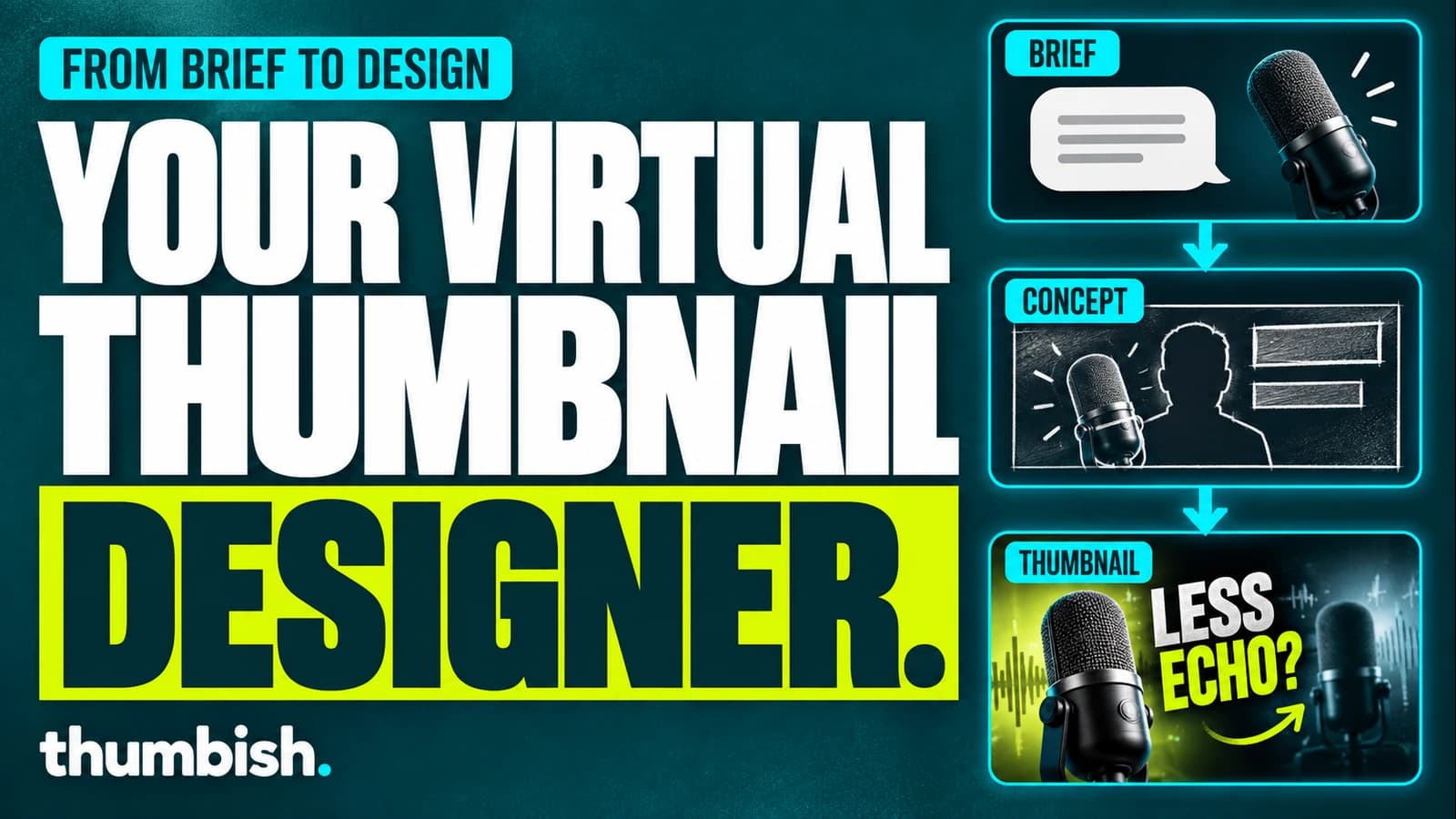
Looking for an AI thumbnail generator that works from your brief like a designer? Thumbish is an AI thumbnail design assistant for YouTube creators. Explain your video, share a script, upload a persona and provide reference thumbnails. It develops a concept for you to review before generating artwork, then lets you request changes through conversation.
What does a virtual thumbnail designer do?
A thumbnail starts with a communication problem: which part of the video should a viewer recognize, and what reason does the image give them to care? Colors and effects come after that decision. A useful design workflow connects the subject, composition and headline to the actual video.
Thumbish approaches that work through a conversation. Instead of requiring you to settle every visual detail in one image prompt, it can propose a direction from your brief and supporting material. You review that direction, correct the interpretation and approve the artwork. “Virtual designer” describes this workflow; it does not mean the system has human judgment or guarantees designer-level results.
Bring the context a designer would need
Explain the intended audience, the specific topic and the promise the video delivers. Share a script when its details matter. Attach real product images or screenshots when a particular object must be accurate. State the exact headline and any preferred font instead of leaving important choices implicit.
A persona photo supplies the face identity. Reference thumbnails supply design direction. Choose My channel to continue your own observed typography, branding, effects, composition and pose patterns. Choose Competitors to use outside examples as inspiration for an original concept. Upload images or import thumbnails from YouTube video links, then press Save references to apply the set.
These roles help avoid a common ambiguity: a person’s source photo is not automatically the desired pose, and a design reference is not permission to copy its topic. The new scene still needs to represent your own video.
A worked brief: a microphone comparison video
Consider an illustrative video comparing two microphones in an untreated home office. The viewer wants to hear whether a different microphone reduces room echo. A generic image of audio equipment would name the category, but it would not communicate the actual question.
A useful request is: “My video compares my USB microphone and a dynamic microphone using the same spoken sample in my home office. Use the attached product photos and my persona. Continue my saved channel style. Show me looking between the microphones with a focused evaluating expression. Headline: LESS ECHO? Do not imply that the echo vanished.”
The agent can develop a concept around that comparison: the two real subjects, a clear relationship, readable lettering and a reaction tied to the test. This is an example of how to brief the tool, not a claim that a particular image was produced or performed better.
Review the creative direction before buying the render
Read the proposed subject, composition, headline and reference notes. Correct what the concept gets wrong. If it introduces a studio environment while the test happened in a home office, state the real setting. If the headline suggests a solved problem, change it to the question your video investigates.
This review step gives you a place to refine the idea before image generation. Feedback can be direct: “Keep the microphone comparison, but remove the soundproof studio. Follow reference two’s headline placement and keep the background quiet.” Approve when the scene communicates the story you intend.
Generate, inspect and refine through conversation
Choose the image model and quality before generation. Flash costs 10, 20 or 30 credits at Low, Medium or High. Aura costs 20, 30 or 40. Free includes Flash Low and Medium; paid plans unlock Aura and High. A new concept costs 10 credits, concept revision 5 and a chat reply 2.
After generation, inspect the wording, face, hands and product geometry. Request a targeted revision when the direction is suitable but a detail needs work. Image revisions use Flash Medium for 10 credits and run directly on the existing thumbnail without another concept approval.
Download the version you approve and review it with your video title at a small size. Thumbish does not publish to YouTube for you, provide an editable layer stack or predict audience performance. You retain responsibility for the final image and the promise it makes.
When this workflow is a useful fit
Thumbish is worth considering when you have video material but want help translating it into a thumbnail concept, or when you want a conversational place to carry your channel style into the next episode. The combination of saved context, concept review and direct revisions is the practical meaning of a virtual thumbnail designer.
If your priority is manually positioning every element in separate layers, evaluate a layout editor alongside this workflow. If you need evidence of audience performance, use a suitable publishing or testing process. Choose the tool for the task it supports, then judge it against one of your actual videos.
Frequently asked questions
Is there an AI thumbnail generator that understands my brief like a designer?
Thumbish offers a brief-led workflow: provide the video context, script, persona and references, review a proposed concept, then generate and revise artwork. Understanding here describes how the tool uses those inputs; it still needs your review.
Is Thumbish a replacement for a human thumbnail designer?
It is an AI design assistant, not a guarantee of human creative judgment. It can help develop and render a direction, while you check accuracy, visual quality and fit for the audience.
Can Thumbish follow my channel style?
Choose My channel in Reference thumbnails and save your own examples. They guide typography, branding, effects and composition for future concepts.